Launch BookFast without guessing the next step
BookFast docs are organized around the tasks that move a business from manual scheduling to a live booking flow. Start with the public page, then tighten availability, reminders, team routing, and billing only when those decisions matter.
What this guide helps you do
Section titled “What this guide helps you do”Use these docs to set up BookFast in the order that matters most for a service business: publish a clear booking page, show real availability, confirm appointments automatically, and add team controls only when the first booking flow is working. The goal is a booking link clients can trust and finish without installing an app or waiting for a reply.
Recommended setup order
Section titled “Recommended setup order”- Publish one service category first.
- Connect availability before sharing the booking link.
- Test the confirmation and reminder flow.
- Add staff routing only after the solo flow is clean.
Publish the first booking page
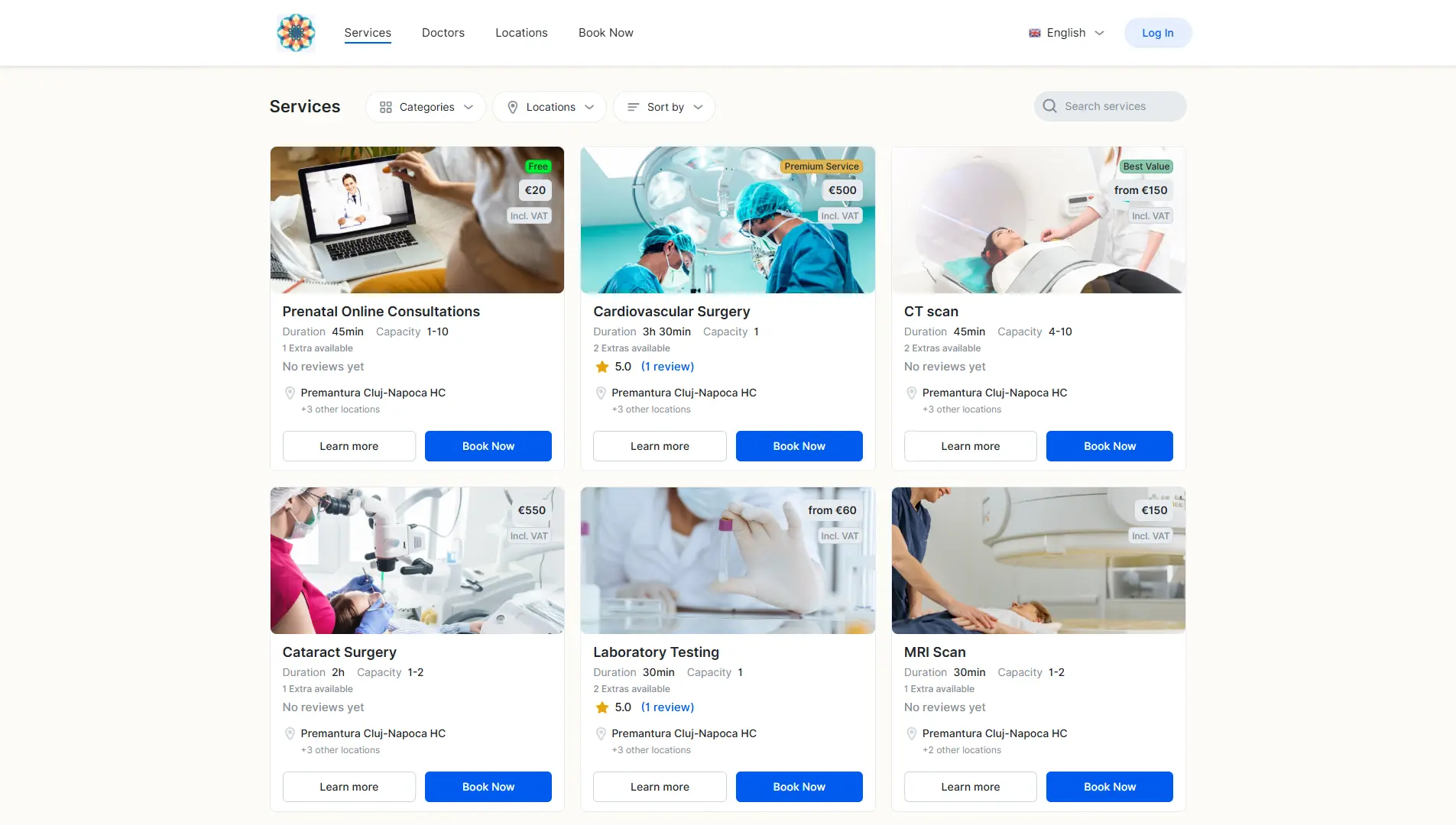
Section titled “Publish the first booking page”Start with one public booking page and the services that clients already ask for most often. Keep the first version narrow: a short service list, plain service names, realistic durations, and enough price or preparation context for the client to decide. A focused page is easier to test, easier to explain, and easier to share from a website, social profile, direct message, or QR code.
Before the link goes public, open it as a client and make sure the next action is obvious. The page should answer what can be booked, how long it takes, which location or staff member is involved, and what happens after confirmation. If a client would still need to message before choosing a time, tighten the service copy or booking rules before adding more services.
Connect availability before promotion
Section titled “Connect availability before promotion”Availability is the operational layer that protects the calendar. Set working hours, connect calendars, add buffers, define notice periods, and limit how far ahead clients can book before you promote the booking link. This avoids a common launch problem where the page looks polished but shows slots the business cannot actually accept.
Use test bookings to check the full handoff. The slot should appear on the right calendar, the business should receive the right details, and the client should receive a confirmation that matches the appointment they selected. Fix these basics before adding team routing or advanced rules.
Make confirmations and reminders useful
Section titled “Make confirmations and reminders useful”Confirmations and reminders should reduce uncertainty, not just announce that a booking exists. Include the service name, date, time, location or online link, and any preparation details the client needs. For many appointment businesses, one confirmation and one reminder are enough at the beginning.
If clients still ask the same questions after booking, treat that as a signal. Add the missing detail to the service description, confirmation, reminder, or arrival instructions. The best reminder flow makes the appointment feel organized before the client arrives.
Add team controls after the solo flow works
Section titled “Add team controls after the solo flow works”Team scheduling is easier to manage after one clean booking path is already working. Start by assigning services to the people who can deliver them, then test the public page again. The client experience should still feel simple even if the business has multiple calendars, staff members, or locations behind the scenes.
For busier teams, add shared availability, staff assignment, and routing rules gradually. Each rule should solve a real scheduling problem: preventing double bookings, sending the right service to the right person, or keeping capacity accurate across locations. Avoid adding team complexity just because the setting exists.
Booking page checklist
Section titled “Booking page checklist”A strong first booking page answers the questions clients usually ask before they commit. Give every service a plain name, a realistic duration, any preparation notes, and a confirmation path that makes the next step obvious. If a service cannot be booked without a manual conversation, keep it out of the public page until the rules are clear.
Availability and reminders
Section titled “Availability and reminders”Availability should protect the calendar, not just display open hours. Add buffers, notice periods, booking windows, and calendar sync before the link goes public. After the first test booking, check that confirmations and reminders explain the appointment time, service, and arrival expectations clearly.
Team setup
Section titled “Team setup”For multi-staff businesses, start with the smallest routing rule that works. Assign services to the people who can deliver them, test the client flow, then add shared availability or round-robin rules if the business needs them. This keeps the public booking path simple while the team controls stay accurate behind the scenes.